







n8n automation workflow graphical interface dashboard for AI-powered content systems

How to Automate Your Blog with n8n and AI (Complete Guide 2025)

n8n is the most powerful automation tool most bloggers have never heard of. Combined with AI (GPT-4o or Claude), it lets you build a fully automated blog publishing pipeline — research, write, generate images, publish — on autopilot. This is the complete guide to doing exactly that in 2025.

What Is n8n and Why Use It for Blog Automation?

n8n is an open-source workflow automation tool — think Zapier, but self-hosted, more powerful, and free at scale. You connect apps visually using a drag-and-drop node editor, and it handles the logic in between.

For blog automation specifically, n8n is the ideal choice because:

  • Native AI nodes — built-in OpenAI, Claude, and Hugging Face integrations
  • WordPress REST API support — publish posts directly from your workflow
  • Self-hosted = unlimited executions — no per-task pricing like Zapier
  • Complex logic — conditionals, loops, error handling, retries

Prerequisites: What You Need Before Starting

  • A VPS (Hostinger, DigitalOcean, or Hetzner — $5–10/month)
  • n8n self-hosted (installed via Docker or npm)
  • OpenAI API key (GPT-4o + DALL-E 3)
  • WordPress site with REST API enabled
  • WordPress Application Password (for API authentication)

The Complete n8n Blog Automation Workflow

Here’s the full workflow architecture, node by node:

Node 1 — Schedule Trigger

Set a cron schedule (e.g., every day at 8:00 AM). This triggers the entire pipeline automatically. You can also add a manual trigger for on-demand runs during testing.

Node 2 — Google Sheets: Get Next Keyword

Connect to your keyword spreadsheet. Use a filter to pull only rows where the Status column equals “pending”. Use the “Limit” option to grab only one row per run — this prevents API overload and keeps costs predictable.

Node 3 — OpenAI: Generate Article

Use the OpenAI Chat Model node with GPT-4o. Pass the keyword and title from the Sheets row into your system prompt. Your prompt should specify:

  • Target word count (1200–1800 words)
  • Output format (Gutenberg HTML blocks)
  • SEO requirements (keyword in H1, first 100 words, meta description)
  • Tone and brand voice

Pro tip: Ask GPT-4o to return a JSON object with fields: title, content, meta_description, slug. This makes downstream nodes cleaner and more reliable.

Node 4 — OpenAI: Generate Featured Image

Add a second OpenAI node configured for DALL-E 3. Pass the article title as the image prompt, with a style directive: “professional digital illustration, dark background, blue accent colors, tech/AI theme, no text”. Request a 1792×1024 image (WordPress featured image aspect ratio).

Node 5 — HTTP Request: Upload Image to WordPress Media Library

DALL-E returns an image URL. Use an HTTP Request node to download the image, then a second HTTP Request node to upload it to your WordPress Media Library via the REST API endpoint /wp-json/wp/v2/media. Save the returned media_id for the next step.

Node 6 — WordPress: Create Post

Use the WordPress node (or HTTP Request to /wp-json/wp/v2/posts) with the following fields:

{
  "title": "{{ $json.title }}",
  "content": "{{ $json.content }}",
  "status": "publish",
  "categories": [9],
  "slug": "{{ $json.slug }}",
  "featured_media": "{{ $node['Upload Image'].json.id }}",
  "meta": {
    "rank_math_focus_keyword": "{{ $json.keyword }}",
    "rank_math_description": "{{ $json.meta_description }}"
  }
}

Node 7 — Google Sheets: Update Status

Loop back to your Google Sheet and update the row: set Status to “done”, log the WordPress post URL, and record the publish date. This keeps your content pipeline clean and auditable.

Handling Errors: Making Your Workflow Bulletproof

n8n workflows can fail — API timeouts, rate limits, malformed JSON. Here’s how to handle the most common issues:

  • OpenAI timeout: Add a retry node with 2 retries and 10-second delay
  • Malformed JSON: Add a Code node to validate and parse the GPT output before passing it downstream
  • WordPress auth failure: Double-check your Application Password — they expire if regenerated
  • DALL-E content policy block: Add a fallback image prompt that’s more generic

Scaling the System: From 1 to 30 Articles Per Month

Once the workflow is stable, scaling is straightforward:

  1. Add more keywords to your sheet — the workflow picks up the next pending row automatically
  2. Increase schedule frequency — from daily to twice daily if your API costs allow
  3. Add a content review step — use a Webhook node to trigger manual review before publishing (set post status to “draft” first)
  4. Monitor with Google Search Console — track which automated articles are getting impressions and double down on those topics

Cost Breakdown: What Does This Actually Cost?

  • VPS (n8n hosting): ~$5–8/month
  • OpenAI API (GPT-4o): ~$0.01–0.03 per article
  • DALL-E 3 image: ~$0.04 per image
  • Total per article: ~$0.05–0.10
  • 30 articles/month: ~$1.50–3.00 in API costs

Compare that to hiring a content writer at $50–200 per article. The ROI is extraordinary.

Final Thoughts

Automating your blog with n8n and AI is one of the highest-leverage moves you can make as a content creator or solopreneur. The setup takes a weekend. The payoff — a self-running content machine that compounds organic traffic month after month — lasts for years.

Start with one workflow. Master it. Then scale. That’s the CreatorSystemLab approach: systems over hustle.

Have questions about setting up your n8n workflow? Drop them in the comments — I answer every one.


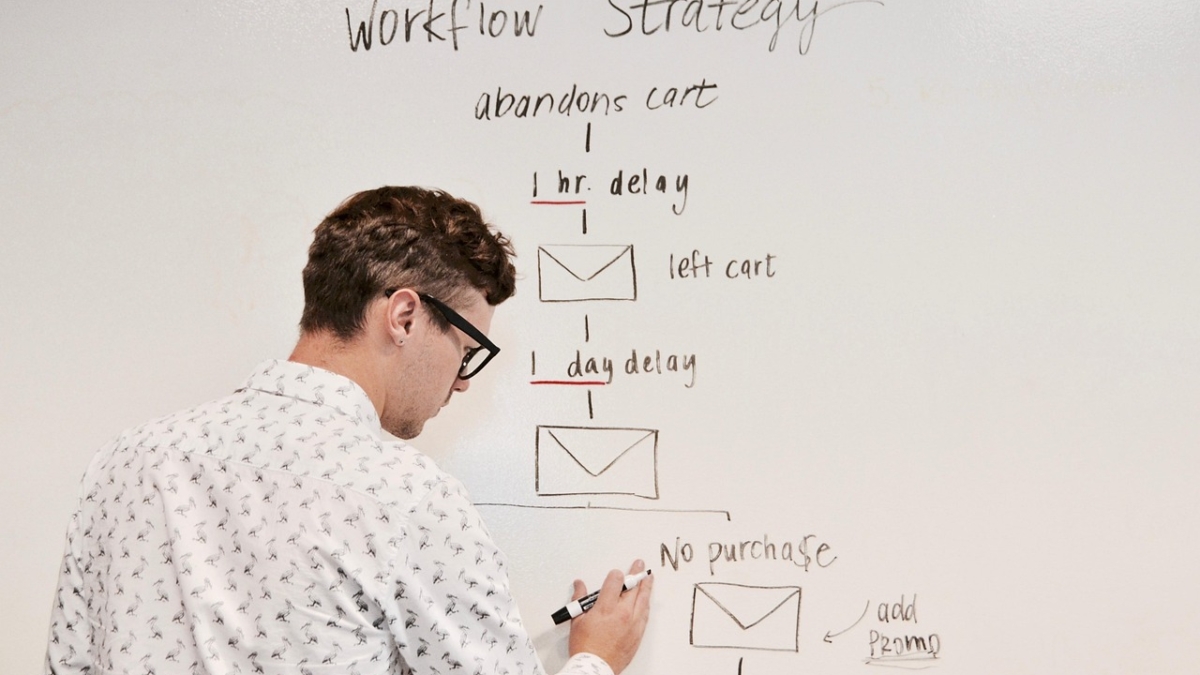
business, office, team, kanban, work, work process, to organize, structure, organization, workflow, development, planning, management, success, company, team, team, kanban, kanban, kanban, kanban, kanban, workflow, workflow, development, planning, planning, management, management, management

How to Build an Automated Content System (No Code Required)

What if your blog could research topics, write articles, generate images, and publish them — all without you lifting a finger? That’s not a fantasy. It’s the automated content system I’ve built for CreatorSystemLab.com, and in this guide, I’ll show you exactly how to replicate it — no coding required.

What Is an Automated Content System?

An automated content system is a connected workflow that handles the end-to-end process of content creation: from keyword research to AI writing to publishing. Instead of spending hours per article, you define the system once and let it run on schedule.

The key components are:

  • A trigger (a keyword list, a schedule, or an RSS feed)
  • An AI writing layer (ChatGPT, Claude, or similar)
  • A publishing connector (WordPress via API)
  • An orchestration tool (n8n, Make, or Zapier)

The Tech Stack (All Free or Low-Cost)

  • n8n (self-hosted on Hostinger VPS) — the automation brain
  • OpenAI API — GPT-4o for article generation
  • DALL-E 3 — automated featured image generation
  • WordPress REST API — auto-publishing to your site
  • Google Sheets — keyword and content queue management

Step-by-Step: Building Your Automated Content System

Step 1 — Set Up Your Keyword Queue in Google Sheets

Create a Google Sheet with columns: Keyword, Title, Status, Published URL. This becomes your content pipeline. You feed it keywords; n8n pulls from it and processes one row at a time.

Mark rows as pending, in progress, or done so the workflow knows what to pick up next.

Step 2 — Build the n8n Workflow

In n8n, create a workflow with the following nodes:

  1. Schedule Trigger — runs every 24 hours (or on demand)
  2. Google Sheets node — fetches the next “pending” keyword
  3. OpenAI node (GPT-4o) — generates a full SEO article using a structured prompt
  4. OpenAI node (DALL-E 3) — generates a featured image based on the article title
  5. WordPress node — creates the post with content, image, category, and status
  6. Google Sheets update node — marks the row as “done” and logs the published URL

Step 3 — Write a Powerful System Prompt

The quality of your automated content depends entirely on your system prompt. Here’s the structure I use:

You are an expert SEO content writer for CreatorSystemLab.com.
Write a comprehensive, 1500-word blog post targeting the keyword: [KEYWORD].

Structure:
- SEO-optimized H1 title
- Engaging introduction (hook + what they'll learn)
- 4-6 H2 sections with H3 subsections where needed
- Practical, actionable content (tools, steps, examples)
- A conclusion with a clear CTA

Format: Gutenberg HTML blocks (wp:paragraph, wp:heading, wp:list)
Tone: Professional but approachable. Direct. No fluff.

Step 4 — Connect WordPress via REST API

In WordPress, create an Application Password (Users → Your Profile → Application Passwords). Use these credentials in n8n’s WordPress node to authenticate. Set the post status to publish and assign your category ID (for AI Automation, that’s ID 9).

Step 5 — Test, Refine, and Schedule

Run a test execution with one keyword. Review the published post: check the formatting, SEO score in Rank Math, and image quality. Tweak your system prompt until the output consistently hits a Rank Math score above 80. Then schedule it to run automatically.

What About Content Quality?

Automated doesn’t mean low-quality. The key is your prompt engineering. A well-crafted system prompt produces articles that are genuinely useful, well-structured, and SEO-ready. I recommend reviewing every 5th article manually to catch any drift in quality and update your prompt accordingly.

Results: What to Expect

With a working automated content system, you can realistically publish 1–3 articles per day without adding hours to your workday. Over 30 days, that’s 30–90 indexed pages — each one targeting a specific keyword and compounding your organic traffic over time.

Final Thoughts

An automated content system is the highest-leverage investment you can make as a solopreneur. You build it once, and it works for you indefinitely. Start with the minimum viable workflow — one keyword, one article, one publish — then iterate from there.

Ready to build yours? Start with n8n (free, self-hosted) and OpenAI API. You’ll have your first automated article live within a weekend.

digital marketing, content strategy, content planning, digital marketer, marketing strategy, social media marketing, content marketing, marketing planning, laptop work, marketing analytics, business planning, digital business, freelancer, remote work, modern workspace, productivity, marketing professional, business strategy, creative professional, work from home, online business, marketing dashboard, professional workspace, generated

Best AI Tools for Solopreneurs in 2025 (Complete Stack)

Running a one-person business in 2025 means competing with teams — but with the right AI tools, you can punch far above your weight. In this guide, I break down the complete AI stack I use to run CreatorSystemLab.com: from content creation to automation to SEO, every tool earns its place.

Why Solopreneurs Need an AI Stack (Not Just One Tool)

Most solopreneurs make the mistake of picking one AI tool and calling it a day. The reality? A lean, well-integrated stack multiplies your output without multiplying your hours. The goal is to automate the repetitive, so you can focus on the strategic.

The Complete AI Stack for Solopreneurs in 2025

1. Claude (Anthropic) — Your AI Brain

Best for: Long-form writing, strategy, SEO content, system prompts, automation logic.

Claude is the AI I use most. Its long context window (up to 200K tokens) means you can feed it an entire article, a business plan, or a full product roadmap and get coherent, nuanced output. For solopreneurs who need depth — not just speed — Claude delivers.

Pricing: Free tier available. Claude Pro starts at $20/month.

2. ChatGPT (OpenAI) — Versatile Workhorse

Best for: Quick drafts, image generation (DALL-E), code assistance, brainstorming.

ChatGPT remains a powerhouse for versatility. GPT-4o handles text, images, and code in one interface. For solopreneurs who need to move fast across multiple formats, it’s hard to beat the breadth of the GPT ecosystem.

Pricing: Free tier. ChatGPT Plus at $20/month.

3. n8n — Automation Without Code

Best for: Connecting apps, automating content pipelines, building AI workflows.

n8n is the backbone of my content automation system. It connects OpenAI, WordPress, Google Sheets, and dozens of other tools in a visual workflow builder. The self-hosted version (on a $5/month VPS) gives you unlimited executions — a massive advantage over cloud-based alternatives.

Pricing: Free self-hosted. Cloud plans start at $20/month.

4. Perplexity AI — Research at Speed

Best for: Real-time research, competitor analysis, fact-checking.

Perplexity combines AI reasoning with live web search. Instead of spending 30 minutes researching a topic, you get sourced, up-to-date summaries in seconds. It’s become my default for any research task before writing.

Pricing: Free tier. Pro at $20/month.

5. Rank Math SEO — AI-Powered On-Page SEO

Best for: On-page SEO scoring, schema markup, sitemap management.

If you’re on WordPress, Rank Math is non-negotiable. Its AI-powered suggestions guide you through title tags, meta descriptions, content structure, and internal linking — all without needing an SEO consultant.

Pricing: Free plugin. Pro starts at $59/year.

6. Canva AI — Visual Content at Scale

Best for: Blog featured images, social graphics, ebook covers, lead magnets.

Canva’s AI tools (Magic Design, Text to Image, Magic Write) have made graphic design accessible for non-designers. I use it to produce all visual assets for CreatorSystemLab without hiring a designer.

Pricing: Free tier. Canva Pro at $15/month.

7. Notion AI — Your Second Brain

Best for: Project management, content calendars, SOPs, knowledge base.

Notion AI turns your workspace into an intelligent assistant. Ask it to summarize meeting notes, generate outlines, or draft SOPs — all within the same tool where you manage your projects. For a solopreneur, this eliminates tool-switching overhead.

Pricing: Free tier. Plus plan at $10/month.

How to Build Your AI Stack: The Right Order

  1. Start with one writing AI (Claude or ChatGPT) — master prompt engineering first.
  2. Add an automation layer (n8n) — connect your writing AI to your publishing platform.
  3. Layer in SEO tools (Rank Math + Perplexity) — start ranking for long-tail keywords.
  4. Add visuals (Canva AI) — once your content machine is running, systematize your design workflow.
  5. Build your knowledge base (Notion AI) — document your systems so they can scale.

The #1 Mistake Solopreneurs Make With AI Tools

Buying tools without building systems. An AI tool is only as powerful as the workflow around it. Before adding any new tool to your stack, ask: What problem does this solve? How does it connect to what I already use?

Final Thoughts

The best AI stack for solopreneurs in 2025 isn’t the most expensive one — it’s the most connected one. Start lean, automate deliberately, and scale what works. The tools above are the ones I rely on every day to run CreatorSystemLab as a one-person operation.

Which tools are you currently using? Drop a comment below — I read every one.